Winter break is the longest trip home most international students take during the school year: three to five weeks, often across many time zones. It is also when the US phone setup you built in the fall can quietly break. Your university sign-in asks for a code you cannot receive, your bank texts a SIM that is switched off, and your landlord calls about a heating problem while your US line is not roaming. This checklist keeps all three working, and keeps the bill down.
What usually goes wrong over winter break?
- University sign-in. Many universities use Duo or a similar two-step system. If you only ever approved prompts by text or phone call, you can be locked out of email, the student portal and course sites while you are away.
- Bank codes. US banks often text a one-time code at sign-in from a new place. Abroad, that text goes to a US SIM you may have switched off.
- Being reachable. Your landlord, housing office, employer for a campus job, or the international student office may call your US number.
- The US line lapsing. A prepaid plan you forget to renew, or a line you pause without checking the rules, can leave you without the number your accounts depend on.
How do you keep Duo working abroad?
Duo’s mobile app can create sign-in codes with no signal at all. The University at Buffalo’s IT page puts it plainly: “You can use Duo when traveling internationally, unless you are traveling to a U.S. embargoed country, even without Wi-Fi or cellular service. The Duo Mobile app on your mobile phone or tablet can create passcodes for you to use offline.” (UB IT, checked November 19, 2026.)
Before you fly:
- Install Duo Mobile and activate it for your university account, if you have only used text or call codes so far.
- Learn where the passcode is. In the app, tap your university’s account; a six-digit passcode appears. At sign-in, choose “Enter a passcode”.
- Print or save backup passcodes if your school’s Duo manager offers them. UB’s page describes a “Generate passcodes” option.
- Add a second device, such as a tablet, if your school allows it.
- Read your own school’s Duo travel page. Universities set their own rules, and some restrict sign-ins from certain countries.
Do the same for your Google or Microsoft accounts outside the university: Google, for example, gives a set of 10 single-use backup codes (Google).
What about your US bank?
Banks decide which numbers get their codes, and some limit texts to US mobile lines. Wells Fargo’s text FAQ says “Wells Fargo can only send text messages to U.S.-based mobile numbers”, that it “does not currently support text messages to landline or VoIP phones”, and that you can receive its texts internationally “if you have a U.S.-based mobile number and have the proper coverage with your mobile carrier” (FAQ checked November 19, 2026). Other banks have their own rules; our post on US bank codes abroad quotes three of them.
What to do before the flight:
- Turn on sign-in approval in the bank’s app if it offers one; it works over Wi-Fi.
- Sign in once from your phone and laptop on campus, so those devices are already recognised.
- Tell the bank you are travelling if it asks for travel notices, and save its overseas phone number. Our list of overseas lines for US banks and agencies is a start.
- Keep the SIM the bank texts active and roaming if the bank only texts that number.
How should your US number stay reachable?
There are three common setups. Pick by what your accounts need and how much you will use the phone.
| Setup | Calls and texts from the US reach you? | Bank and school codes by text? | Cost to think about | Good when |
|---|---|---|---|---|
| Keep your US carrier line roaming | Yes, while roaming works | Yes, if roaming texts arrive | Your carrier’s roaming or travel pass | Accounts text that number and you need it daily |
| Keep the US line on its cheapest plan, SIM in a drawer | No, unless it roams | Only when the SIM is back in | The plan’s monthly price | You just need to keep the number until you return |
| A US number in an app, plus a home SIM or Wi-Fi | Calls ring in the app; texts from US senders arrive | Depends on the service (see below) | The app’s plan; home data is local | You mainly need the school, landlord and friends to reach you |
A dual-SIM or eSIM phone lets you mix them: keep the US SIM on for texts, put a home SIM or eSIM in for data, and let calls reach you over Wi-Fi.
Where does a US number in an app help?
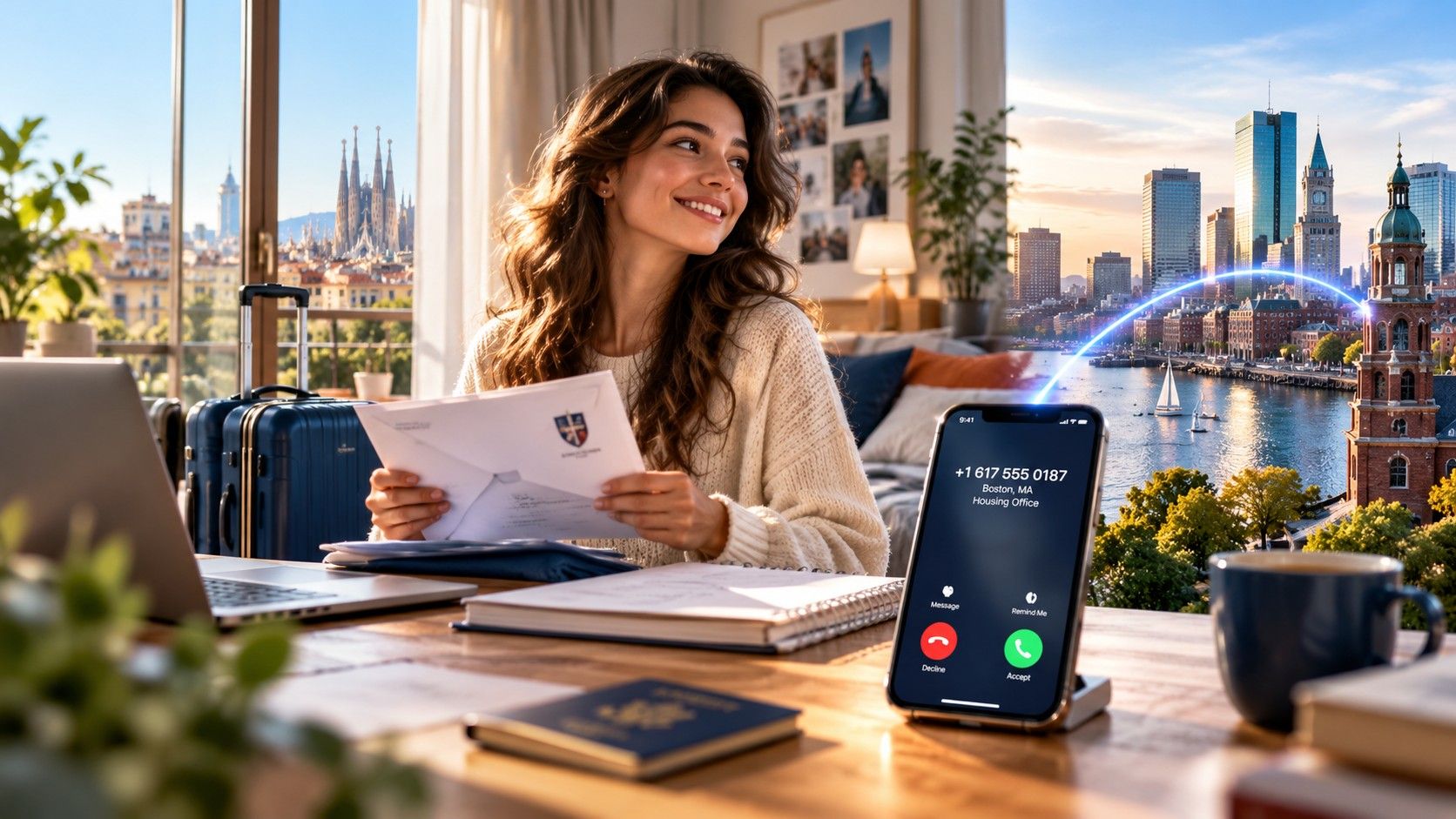
TripoSIM gives this exact case as an example on its offer page: “A student in Boston keeps the same US number when she flies home for the summer, so her school, landlord and friends can still reach her.” The TripoSIM US number rings in the app over Wi-Fi or mobile data in almost any country, so a call from your landlord in Boston reaches you at your parents’ home in Lagos or Lahore, with no roaming charges for incoming calls (fair use 300 minutes a month). Missed calls go to voicemail, and calls you make to US and Canadian numbers use 300 included minutes a month.
It also covers the other direction once you are back on campus: calls from the US to family abroad are paid from TripoSIM credit, from $0.029 a minute: India $0.029, Pakistan $0.059, the Philippines $0.249, Nigeria $0.249 (TripoSIM prices updated November 13, 2026). See calling other countries from a US number.
Be clear about codes. Duo and banks are not on TripoSIM’s tested list. No bank is on TripoSIM’s tested list, so there is no test to show. Each bank sets its own phone-number rules: ask your bank before you rely on this number for its codes. For Duo, use the app’s passcodes above. For other services, TripoSIM reports that 22 named apps sent codes to its US numbers in tests from October 3 to 18, 2026. Acceptance depends on the service, the number type and the account flow, so check before you rely on it. The app check shows the dated test for each listed service. The number also cannot call 911, so keep your carrier line for emergencies when you are back in the US.
The winter break checklist
Two weeks before you fly
- Set up Duo Mobile passcodes and any backup codes.
- Turn on bank app sign-in and save the bank’s overseas number.
- Check your US plan’s renewal date and what roaming costs.
- Ask your international student office what you need to come back; that is outside this guide, but do not leave it late.
The week before
- Decide which of the three phone setups you will use.
- If you use a US number in an app, install it, allow notifications and the microphone, and test a call on campus Wi-Fi.
- Give your landlord, housing office and campus employer the number that will ring while you are away.
On the day
- Keep your US SIM in your wallet or phone, not in checked luggage.
- Write down Duo passcodes or keep the app on a second device in your carry-on.
At home
- Check your US email for school and housing messages each day; most problems arrive there first.
- Answer US calls at sensible US hours; US time now helps when you are 10 hours ahead.
Bottom line
Winter break breaks phone setups that rely on one US SIM. Move university sign-in to Duo Mobile passcodes, turn on your bank’s app sign-in, and choose how your US number stays reachable before you fly. If you want calls from school and your landlord to ring at home over Wi-Fi, the TripoSIM US number does that for $100 a year or $12.99 a month; the students page covers how students use it all year.